Datasources
Creating a Datasource
Before you can link your ontology to some data, you have to tell Monolith where that data is going to be coming from. This means creating a Datasource.
Follow the Datasources link in the Main Menu:

Here you can create a new datasource by pressing on the Create a datasource button.
For example:
- type in
Booksas the name of the datasource- choose the MySQL jdbc driver:
com.mysql.cj.jdbc.Driver- type in the URL of the Books database, so something like:
jdbc:mysql://localhost/books- type in the username and password of your MySQL server
After creating the datasource, you can test the connection, modify it, or delete it by clicking on the buttons in the lower right-hand corner of the datasource card.
Now that you have your first datasource, you are ready to map data to your ontology!
Keep in mind that for some versions of MySQL, to get the JDBC driver to work with UTC time zone, you have to specify the serverTimezone explicitly in the connection string. So this would be the URL:
jdbc:mysql://localhost/books?serverTimezone=UTC
You can also use the preinstalled H2 database for the Books specification, by selecting the H2 JDBC driver, and inserting the following URL: jdbc:h2:mem:books. No username or password is necessary.
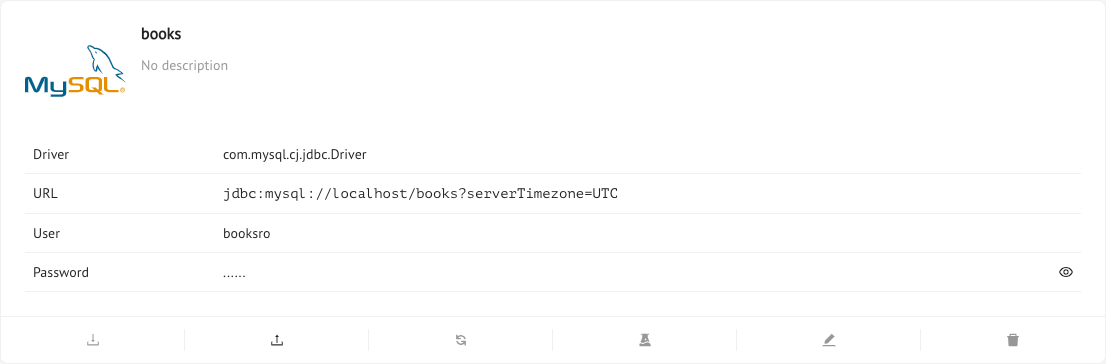
Once created you can permform the following actions:
- Download/Upload datasource metadata (tables, primary keys etc…)
- Refresh the datasource metadata in order to help the Mastro reasoner optimizing the queries
- Test JDBC connection
- Edit the datasource settings
- Delete the datasource
Previous Next